
Productivity
Effective engineering leaders today deftly balance the needs of their organization with the needs of their developers. Tasked with making strategic decisions, coaching their teams, and driving process improvements to meet business objectives and key results, leaders are often distanced from the actual work of writing code. As such, leaders must empower their team members to excel, and engineering intelligence data can help in a number of ways.
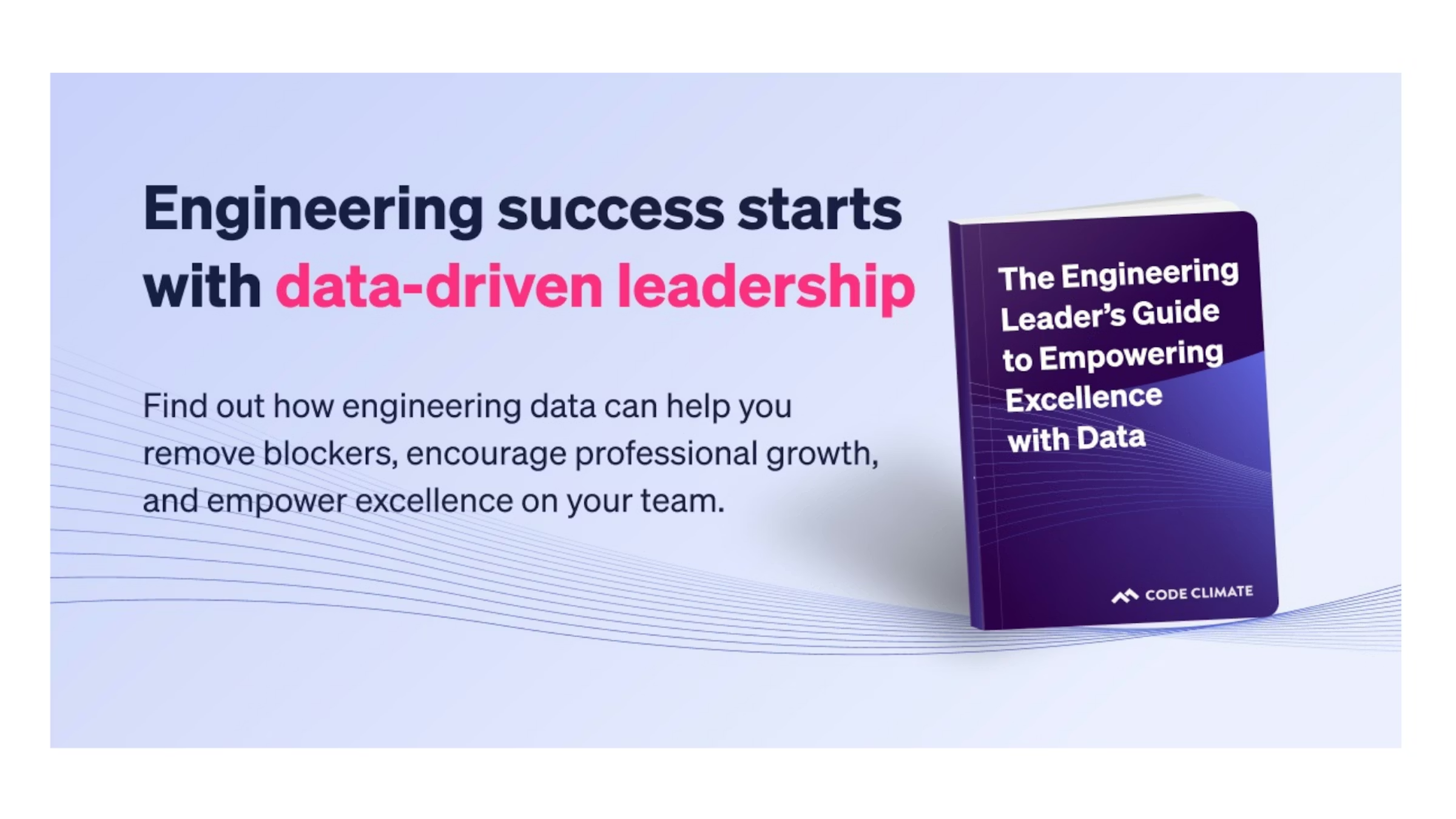
Find out how data can help you cultivate an engineering environment that drives success in our new ebook, The Engineering Leader’s Guide to Empowering Excellence with Data.
Focusing on four key areas—removing blockers, minimizing micromanagement, personalizing coaching, and fostering a culture of psychological safety—our ebook will help you gain actionable insights from data, rather than gut feelings, to achieve a developer-focused work environment.
With the right data, you can determine when to step in to lend support, and when to step back and encourage autonomy, so you can empower your team members to go above and beyond. Used thoughtfully, data can help you build stronger, more successful teams and drive continuous improvement.
An empowered team is a successful team. Download our ebook (for free!) today.

The final principle in the Agile manifesto urges developers to reflect on the past and use that knowledge to improve future outcomes. Since we learn from the past, holding sprint retrospectives is key to improving the results of future iterations. Conducted well, sprint retrospectives can boost outputs and propel teams forward; conducted poorly, they may breed toxicity. The careful use of objective data can help you steer your retro in the right direction — read on to find out how to leverage data from the beginning to the end of the retrospective process, so you can maximize the value of this key opportunity for continuous improvement.
Preparing for Your Sprint Retrospective
Practices vary by organization, but sprint retrospectives may be facilitated by anyone familiar with the sprint, from a developer on the team to a stakeholder from another department. If you find yourself in the facilitator role, it’s crucial that you build a strong foundation for your retro by performing an audit to collect data in advance.
Look back on the lifetime of the sprint, and ask yourself questions like:
- What was finished?
- Did we deliver all the items we intended to? If not, why?
- What specific units of work didn’t get shipped?
- What bottlenecks or blockers arose, and are they part of a pattern?
The answers will help you identify patterns and problem areas and formulate meaningful conversation points to guide the retrospective.
For example, if your sprint finished with a lot of unshipped work, you’ll want to know that in advance, so you can dig into the reasons during the retrospective. Look for unassigned tickets, which may indicate that some units of work were not prioritized correctly or that tickets were lost or overlooked unintentionally — though you’ll need to bring these tickets up at the retro to know for sure.
You’ll also want to look at the Issues from the iteration that are still categorized as In Progress, and see how many days they’ve been open. You can dig deeper by looking at the Pull Requests (PRs) associated with that Issue, and taking a look at relevant activity and comments for each. This can help you formulate a hypothesis as to why a unit of work was unshipped. For example, Issues with many PRs may indicate that work was not batched efficiently, while PRs with high levels of Rework may signal that an engineer was struggling with a difficult area of the codebase, or unclear technical direction. You can further investigate that hypothesis during your retro by discussing particular units of work to gain additional context and information.
While you can piece together this information from your VCS and project management tools, gaining a holistic view can be tedious as this data is typically dispersed. A Software Engineering Intelligence solution, like Code Climate, can save time and add a layer of valuable insights by aggregating that data in a series of customizable dashboards and rich visualizations.
Prioritize Your Sprint Retrospective
Typically, retrospectives last approximately 30 minutes for each week of the sprint, so if your sprint was three weeks long, you may want to carve out an hour and a half for your retro. Keep this time frame in mind to help you prioritize speaking points and focus on conversation topics that will keep your team engaged and on task.
Once you have compiled a list of topics, see if you discover any common themes and group them together. It may be helpful to get the perspective of your team members when you reach this point. Here at Code Climate, our facilitators ask the team to vote on which items should be talked through first to ensure engagement and alignment.
Open the Floor to Collaboration
In order to have a productive retrospective — one that surfaces meaningful opportunities for improvement — the team must feel safe talking through any missteps. The purpose of a retrospective is to measure processes, not individuals, so it’s important to remind your team to focus on the work, and not on the people behind it. As you set the stage for your retro, keep in mind that the data you gathered during preparation is to be used purely as an empowerment tool. When used appropriately, data can keep the conversation grounded in facts and tackle negative biases, allowing you and your team to have genuine conversations about things that could have been done better without making developers feel singled out.
Discuss
Now to discuss. Based on the topics you prioritized, you can split your sprint retrospective discussion portion into easily digestible parts. Though format can vary based on team and personal preference, many teams focus on three categories using a “Start, Stop, Continue” exercise, which asks developers to provide feedback on the following:
- Start: Actions we should start taking
- Stop: Actions we should stop or do away with
- Continue: Actions we should continue and codify
It can be helpful to use a visual aid to facilitate this exercise and keep the conversation on track. For in-person teams, that might mean distributing sticky notes that can be written on and affixed to a board; for remote teams, that might mean using a collaborative online platform like Trello. Take time to talk through each part, and…
Develop an Action Plan
By the end of the sprint retrospective, you and your team should have several actionable ideas to put into practice to help the next iteration go smoother. While this data is qualitative in nature, these new ideas can then be measured against the quantitative data (such as PR size) they are meant to improve during the next sprint, enabling you to enhance software development strategies as time goes on.
Standardize Sprint Retrospectives and Keep Improving
Best practices are best utilized when reinforced. Each new retro you hold keeps you on the path of continuous improvement.
While there is no golden rule as to how retros should be structured and held, some form of review is vital to achieving continuous improvement. By incorporating data into your retros, you can maximize the value of your discussions and help build a highly capable team that can successfully drive business goals.

Every day, engineering leaders ask their team members the same three standup questions to ensure the software development engine hasn’t come to a complete stop. It’s excruciatingly boring to be asked the same questions day in and day out, and it’s not a productive use of engineers’ time. These questions — the “are things moving?” questions — can be answered with the help of a Software Engineering Intelligence (SEI) solution, like Code Climate, freeing up valuable standup time for an even more impactful set of questions, the “how can we move faster?” questions. These are the questions that dig deeper into a team’s processes and practices, helping leaders identify opportunities for improvement and drive excellence on their teams.
In this two-post series, I’ll explain how data can help you answer the classic standup questions, then walk through the “next three questions,” that every engineering leader should be asking to level up their standups — and level up their team.
First, the classic questions:
- What did you do yesterday?
- What will you do today?
- What (if anything) is blocking your progress?
Let’s dig in.
Standup questions one and two: What did you do yesterday? What will you do today?
These questions are meant to help you understand what progress your team has made so far, so you can assess your team’s output within the context of your current sprint or cycle. In comparing what’s been done so far to what’s planned, you can get a sense of the sprint’s status.
Rather than ask your developers for a rundown of yesterday’s completed tasks and today’s to-do list, let the data speak for itself. You could do this by running a Git diff for every branch, or you could let Code Climate's SEI platform do the work, drawing connections between Commits and Issues and providing an accurate view of what your team is working on. This can also help you check that the team is prioritizing appropriately, and working on the most impactful Issues. You can also review the Issues that have yet to be started to determine whether the team is saving the trickier work for last. This isn’t necessarily a problem, but it could indicate that a slowdown is to come, and may be worth discussing during standup.
Of course, data won’t tell you for sure whether your team will hit its deadline, but it will give you a big picture view of how your sprint is progressing and where the team might need your help.
Standup question three: What (if anything) is blocking your progress?
Once you have a high-level understanding of the progress of your current iteration, you’ll want to know if there’s anything that might throw it off track. Developers might be hesitant to call out blockers, preferring instead to solve problems themselves, or they may lack the context to foresee potential slowdowns. Data addresses both of those problems, though the relevant information has historically been harder to find, as it’s spread throughout your VCS and project management tools. This is where a Software Engineering Intelligence (SEI) solution is particularly valuable — Code Climate can even send you a customized alert when a particular unit of work is stuck or at risk.
Work that is stuck may have gone a few days without a Commit, or may be marked “In Progress” in Jira for an atypical length of time. Work that is at risk is work that is not moving through the software development pipeline as expected, and which may become a bottleneck if not addressed. Though the signs of risk vary from team to team, Pull Requests with high levels of Rework, or many comments or Review Cycles are worth further investigation, as are PRs that haven’t been picked up for review in a timely fashion.
Data can also help you identify possible blockers in developers’ collaboration patterns. Every engineer will have their own opinion of how the team is working, and though it’s important to understand how engineers are feeling about the current state of collaboration on the team, it’s critical to check any hidden biases with objective data.
Start by looking at the distribution of work across the team. Is there someone who is overloaded, or someone who isn’t getting work? Code Climate makes this easy with a Work in Progress metric that tells you how much each engineer is working on at a given time. Then, to get a sense of the team’s broad collaboration patterns, it can be helpful to determine how many engineers are working on the same Issue or Pull Request. This way, you can be aware of a possible “too many cooks” situation, or dependencies that may impact delivery.
So, what standup questions should you be asking instead?
When you enter standup with this information, you can skip past the classic three standup questions in favor of three more impactful questions:
- How can I help remove distractions?
- How can the team help resolve that risk?
- Are we working on the right things (see what people are working on, blend that with your context)?
The answers to these questions will help you move beyond a short-term focus on getting work done and help you get to the next level, where you’re focused on helping your team excel. Find out how in my next post.
This is the first post in a two-part series. Read the second post here.

Engineering metrics can be a powerful tool for tracking and communicating engineering progress, debugging processes, boosting team performance, and much more – but they must be wielded with care. When misused, metrics can backfire, creating confusion and resentment.
To help engineering leaders successfully leverage metrics, Code Climate has partnered with LeadDev on a series of blog posts and webinars that explore the fundamentals of data-driven leadership. Drawing on the expertise of engineering leaders from a range of industries, we highlight real-world perspectives on the what, why, and how of measuring as an engineering leader. We touch on everything from selecting the best metrics to track for your organization, to introducing metrics successfully, and specific use cases, like using metrics to run more impactful standups.
Here are some key insights:
- “I’ve found that metrics are valuable in helping zero in on what might be getting in the team’s way. Instead of treating them as a way to judge performance, I believe metrics are most useful in bringing to light areas of opportunity.” Leslie Cohn-Wein, Engineering Manager, Netlify
- “First and foremost, I use metrics to help me identify what the biggest bottlenecks are across different teams. Without metrics, I’d be left to make this judgment based on hearsay instead of methodology. The second reason I use metrics is to understand changes over time, particularly as we undergo organizational changes or make investments in specific areas.” Abi Noda, Developer Experience Expert
- “Cycle Time is a metric that I consistently come back to — it’s a great proxy for engineering speed, and can be a useful high-level look at whether certain key decisions are having the desired impact. If we’re moving slower than we had been, I can then isolate parts of the engineering pipeline and investigate where exactly things are going off track.” James McGill, VP of Engineering, Code Climate
- “The outcomes of productive standups ripple throughout the engineering team. By discussing specific metrics in standups, you can tell if your team is moving forward. You can ensure that the risks are being addressed from an objective, quantifiable standpoint rather than opinion.” Khan Smith, VP of Product, Code Climate
To dig deeper into what engineering leaders are doing today with metrics, check out the full series.
Ready to get started with engineering metrics in your organization? Contact our product specialists.

A good leader can respond to issues and course correct in the moment, but a great leader is proactive about staying ahead of the curve. With the help of data provided by Engineering Intelligence tools, an Engineering Manager can gain visibility into the development pipeline and stay equipped with the knowledge needed to cut problems off at the pass. No matter where an EM is in their professional lifecycle, a proactive one can prioritize more successfully, strengthen coaching strategies, and boost team effectiveness in the short term, mid-term, and long term.
Short Term Strategy: Spot Risk and Prevent Blockages
A lot of dedication goes into keeping sprints on track and software delivery on schedule. With so many moving parts in the development pipeline, an EM may find it tough to determine what needs their attention first, making it challenging to triage risks. However, by using a Software Engineering Intelligence platform — like Code Climate — that conveys insights based on aggregated data, an EM can swiftly analyze coding progress and prioritize their task list to focus on what’s most important.
For example, an EM can assess PR and Commit data to surface at-risk work — work that could benefit from their time and attention. If a Commit has had several days of inactivity and work on the associated PR has seemingly halted, it may indicate that the scope of the task is not clear to ICs, and that they require guidance. Or it may be a sign of task-switching, where too much Work In Progress pulls an IC’s focus and makes it difficult to complete work.
This is where data from a Software Engineering Intelligence platform is critical, as it can signal to a manager that a specific PR or Issue needs attention. Code Climate enables EMs to set Risk Alerts for PRs based on custom criteria, since risk thresholds vary from team to team. From there, the EM can use that information in standups, retros, and other conversations with ICs to help identify the root cause of the blocker and provide coaching where needed.
Mid-term Strategy: Improve Collaboration
As a proactive leader, an EM must understand the nuances of collaboration between all parties to ensure ICs and teams are working together effectively and prioritizing issues that are aligned with company goals. If teams fail to work cohesively, roadmaps may be thrown off course, deadlines may be missed, and knowledge silos may be created. Using their Engineering Intelligence tools, an EM can easily surface the quantitative data needed to gain visibility into team collaboration and interdepartmental alignment.
When it comes to collaboration on their team, an EM might want to look at review metrics, like Review Count. Viewing the number of PRs reviewed by each contributor helps an EM understand how evenly reviews are distributed amongst their team. Using these insights, a manager can see which contributors are carrying out the most reviews, and redistribute if the burden for some is too high. Doing so will not only help keep work in balance, but the redistribution will expose ICs to different parts of the codebase and help prevent knowledge silos.
To look at collaboration between teams, an EM can rely on quantitative data to help surface signs of misalignment. Looking at coding activity in context with information from Jira can help an EM identify PRs that signal a lack of prioritization, such as untraceable or unplanned PRs. Since these PRs are not linked back to initial project plans, it may indicate possible misalignment.
Long Term Strategy: Support Professional Growth and Improve Team Health
A proactive EM also needs to identify struggling IC’s, while simultaneously keeping high performers engaged and challenged to prevent boredom. This starts with understanding where each individual IC excels, where they want to go, and where they need to improve.
Using quantitative and qualitative data, an EM can gain a clearer understanding of what keeps each IC engaged, surface coaching opportunities, and improve collective team health. Qualitative data on each IC’s coding history — Commits, Pushes, Rework, Review Speed — can help signal where an IC performs well and surface areas where it might be useful for an EM to provide coaching. An EM can then use qualitative data from 1 on 1’s and retros to contextualize their observations, ask questions about particular units of work, or discuss recurring patterns.
For example, if an EM notes high levels of Rework, this signals an opportunity to open up a meaningful discussion with the IC to surface areas of confusion and help provide clarity. Or, an EM might see that an IC has infrequent code pushes and can coach the IC on good coding hygiene by helping them break work down into smaller, more manageable pieces that can be pushed more frequently.
Using a combination of both data sets, a manager can initiate valuable dialogue and create a professional development roadmap for each IC that will nurture engagement and minimize frustration.
Proactivity as an EM – The Long and Short of It
Proactivity is a skill that can be developed over time and enhanced with the help of data. Once empowered with the proper insights, EMs can more effectively monitor the health of their sprints, meet software delivery deadlines, keep engineers happy, and feel confident that they are well-informed and can make a marked, positive impact.

Standups should be a vital ceremony for building trust and cohesion within a team. They’re meant to help your team remain engaged and adaptable, so they can keep work moving forward.
The reality is, most standups do none of that.
It’s not that standups aren’t a good idea in theory; teams should have a regular touchpoint that enhances collaboration and alignment. In practice, however, they fall flat. Too often, standups are held simply because they’re expected — they’re a cornerstone of agile, after all — not because they provide value to the team. They’re frequently maligned as boring and ineffective.
Like all processes that exist because of a shared understanding of how things “should” be, standups are in need of an overhaul.
To add value back into your standups, focus on the reason you’re holding them in the first place. Foreground those goals (alignment, adaptability, and engagement), and think about the particular dynamics of your team. How can you encourage your team members to contribute in a meaningful way, and to help fulfill the goals of the standup?
Every team is different, which means every answer will be slightly different. You’ll likely have to iterate before you land on a process that works for your team. And you’ll have to continue to iterate as your team and its needs change.
That said, there are a few broad strategies we here at Code Climate recommend:
Keep key questions at the forefront – Once you’ve decided on the critical questions that every standup needs to answer, make sure that information stays top of mind for all involved. We recommend pasting these questions into the standup calendar invite and revisiting them at the beginning of every standup, so they serve as a constant reminder to attendees and help keep conversations focused. The key questions we ask are:
- What did you work on yesterday?
- What are you working on today?
- Are you blocked on anything?
Don’t be afraid to ask follow up questions too, as long as they help further the goals for your meeting.
Prepare with data – To be impactful, standups need to surface the units of work most in need of attention and discussion. While you should create an environment that will encourage your team members to speak up when they need help, it’s not a guarantee that they will. A Software Engineering Intelligence (SEI) platform like Code Climate can help you spot bottlenecks and identify at-risk work, so you can walk into standups prepared. If your team members raise those issues, you’ll be ready to offer guidance. If they don’t, you can raise them yourself and help troubleshoot so that the sprint stays on track.
Create a blameless space – Ensure your team members understand that they won’t be penalized for raising an issue or voicing a concern. This will help create a feeling of safety — when engineers know they won’t be punished for it, they’ll be more likely to surface potential problems and ask for help.
Leave time for hesitation – Before moving on to the next person or topic, leave a moment of pause. Sometimes there’s an impulse to move through standup as fast as possible for efficiency’s sake. It may sound counterintuitive, but when you’re trying to keep standups efficient and impactful, moments of pause are key. If an IC is considering voicing a concern, but hesitating, you want to create an opportunity for them to speak up — often those moments of hesitation give rise to the most important conversations.
Embrace fast follow ups – Block off 20 minutes of time after every standup for follow-up conversations. If something comes up during standup that requires further conversation, you’ll have a block of time to have that conversation with the relevant teammates while things are still fresh in your head. You won’t need to derail standup for a deep dive that doesn’t impact the rest of your team, but you won’t delay the conversation for too long either.
With these strategies, you’ll be on your way to running more effective, impactful standups. Your team will start the day of strong, poised to tackle their most challenging work and keep code moving through the development pipeline.
To find out more about using data to prepare for your standups, request a consultation.

It’s important for a manager to know what their team members are working on, and to understand how that work is going. Still, how you get that information matters. Turning every standup into a status update or constantly checking in with engineers can be disruptive to developers’ flow, and can make your team members feel like you’re micromanaging their every move.
Status updates of this kind are also not productive for an individual contributor — you may need visibility into your team’s workflow, but looping you in isn’t providing value to your engineers. When your team stops what they’re doing to give you basic information, they’re not getting much out of the exchange.
If you get the visibility you need from data that already exists in your engineering workflow, you can dedicate your 1 on 1s, standups, and check-ins to higher-value interactions, whether that’s team-building, problem-solving, innovation, or professional development. Your team will be happier and more productive, and you’ll be able to use your meetings and conversations to make a bigger impact on your organization — and to empower your developers to do the same.
Get Visibility With Data, Not Check-Ins
Of course, you still need a sense of what everyone’s working on and how it’s going. Get that basic information from a Software Engineering Intelligence (SEI) solution like Code Climate, which gathers key information from your existing engineering workflow. You’ll be able to quickly get a sense of what each developer is working on and check that against your expectations of your team’s priorities and workload.
With that information, you can determine the best course of action for supporting your team.
When things are running smoothly, it’s likely best to take a step back and let your developers manage their own work. There may be opportunity for improvement — there always is — but that’s what retros are for. If you’re running effective retrospectives after each project or sprint, your team will still find opportunities to keep doing better.
Look For: A low PR Cycle Time, which indicates that Pull Requests are moving through your software development pipeline quickly and efficiently.
In the middle of a sprint, however, you’ll want to focus on work that isn’t going as planned, rather than work that meets your expectations. With Code Climate, for example, you can easily surface at-risk Pull Requests — PRs that are exceedingly large, have been open for long periods of time, or are taking up the attention of multiple members of your team. Some PRs are naturally larger and more complex, and that’s ok. But in some cases, these characteristics are red flags, signs that your team members could use your support. If you follow up on at-risk units of work, you’re likely to find opportunities to help your team members resolve bottlenecks or tackle challenges. You’ll enter meetings already informed, and you’ll be able to keep conversations focused and productive.
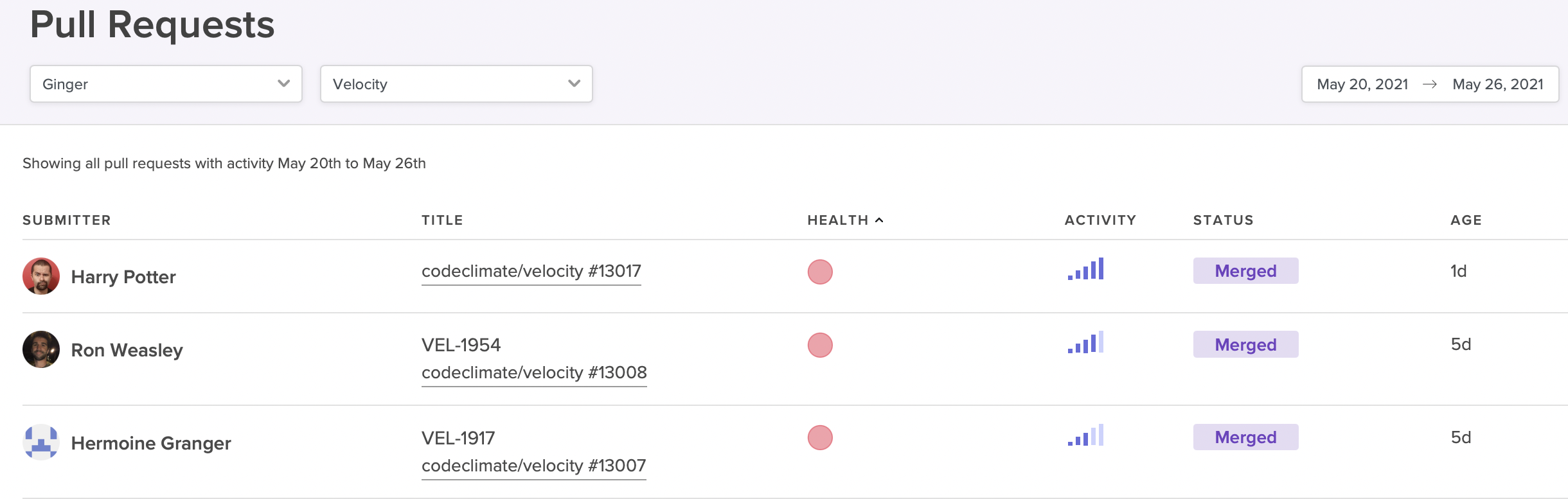
The Pull Requests report can help you easily surface at-risk PRs.
Look For: PRs that are exceedingly large, have been open for long periods of time, or are taking up the attention of multiple members of your team. (A Software Engineering Intelligence platform can help you easily surface at-risk PRs like these, based on information that already exists in your VCS or other engineering tools.) Some PRs are naturally larger and more complex, and that’s ok. In some cases, these characteristics are red flags. Talk to your team about any concerning PRs to determine whether your developers could use your support.
Use Data Responsibly to Avoid Becoming Big Brother
Even managers who barely think twice about interrupting an engineer’s workday to ask for an update worry that digging into data from their engineering workflow may feel invasive. The key to maintaining your team’s trust and fostering a greater sense of autonomy lies not in whether you have access to data, but how you use it. As a leader, it’s your responsibility to cultivate a culture of transparency and safety where metrics are used responsibly and constructively.
When Code Climate customer introduced engineering metrics at their organization, the CTO was careful to put them in perspective: “I spoke about Coe Climate and Cycle Time — how you measure a process, not people. And how you improve a process. I said to the team, ‘I’m going to start measuring the team just to measure the process and improve it. I’m not measuring individuals.’” With this groundwork, the team could surface key information about its workflow without constant check-ins and shoulder taps. As a result, they refined their processes and doubled their productivity, slashing their Cycle Time from 72 hours to 30 hours.
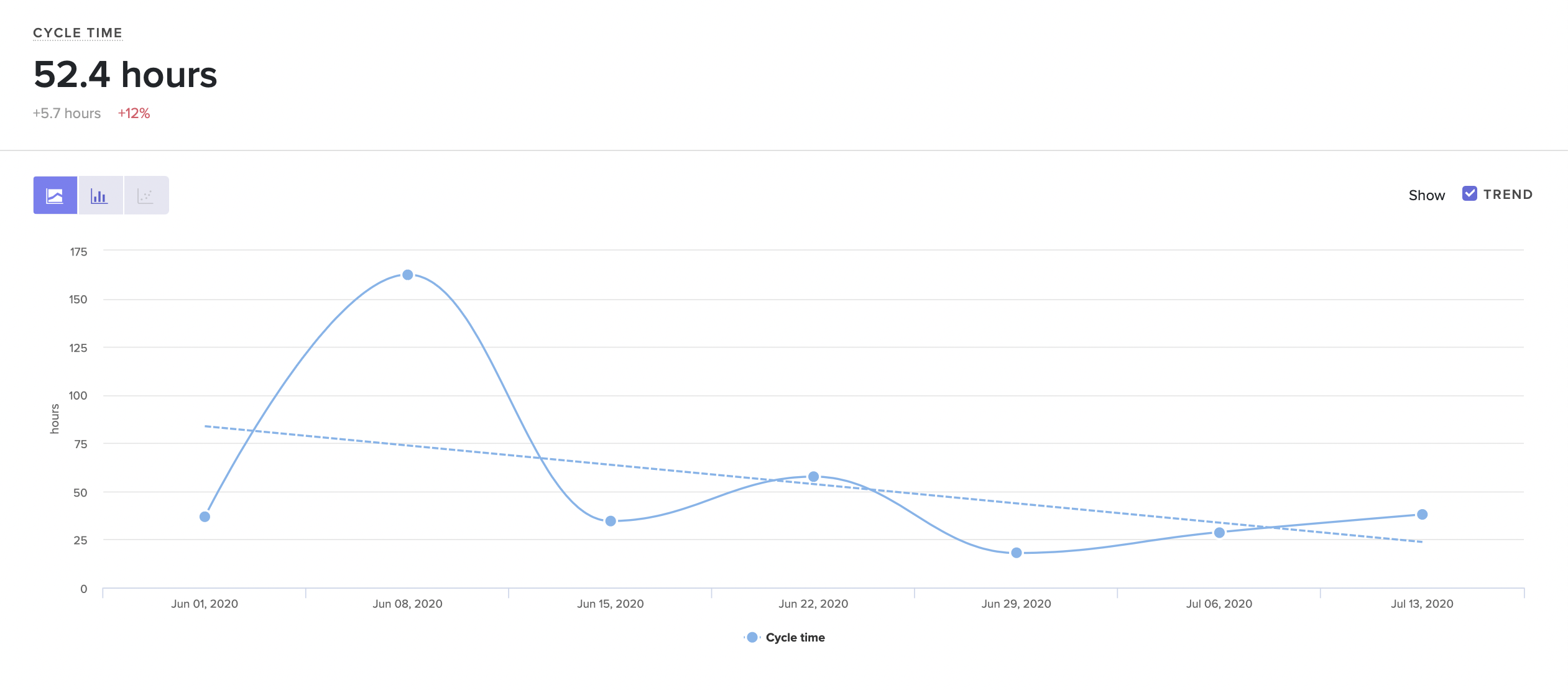
Visualize trends in the way your team is working.
When bringing data into your organization, it’s important to remember that:
- Data must be used with transparency. Your team members should know what information you’re looking at, who else has access to it, and how you plan to use it. Make sure you communicate openly and honestly about any plans you have to introduce data, and your goals for bringing data into your organization.
- Data should enhance, not replace conversations. Data doesn’t tell the whole story, and should always be viewed in context. Use it as a starting point for conversations, rather than using it as the basis for decisions.
- Data provides insights about the work, not the person. Engineering is collaborative, and it’s up to you to ensure no one feels personally responsible for issues or negative trends. Keep the focus on the work so your whole team can get behind improvement.
- Data should be used constructively, not punitively. Mistakes and shortfalls should be viewed as coaching opportunities, rather than occasions to take punitive action.
If you keep these principles in mind, you’ll be able to use data in a way that benefits you as a leader, as well as your team members as managers and ICs. Free of unnecessary check-ins and status updates, your team members will enjoy more autonomy and have more time to focus on their work. Together, you’ll be able to tackle larger challenges and make an even bigger impact on your organization.
Request a consultation to learn more.

(Updated: February 20, 2024)
When building a high-performance engineering organization, it’s not enough to hire top talent — leaders must also keep developer experience in mind and create an environment that’s conducive to productivity. Even the most skilled developers will be hamstrung by ineffective processes and other bottlenecks that stand in the way of deploying code.
That doesn’t mean it’s easy to identify the blockers that are slowing down your team. When code is making it through to production, it’s easy to assume that your processes are functioning. Leaders often lack the visibility to pinpoint bottlenecks, and developers may be reluctant to raise their hands and voice concerns, particularly if their concerns are based on gut feel.
To effectively remove blockers and boost engineering productivity, you need data. With the right information, you’ll be able to enhance visibility and supplement gut feel, making it possible to quickly spot bottlenecks in your software development pipeline and empower developers to collaborate on effective solutions.
How to Use Data to Identify Bottlenecks in Your Processes
Used thoughtfully, data is a critical tool for identifying and refining broken processes, as well as optimizing processes that are functional, but could be even more efficient.
With the right data, you can:
- Check your assumptions. Data can provide the objective evidence necessary to challenge your assumptions about what should be working. When confronted with concrete numbers, you may find that certain ‘best practices’ are not practical for your team, or processes that seem logical on paper may not hold up in practice. For example, though Code Review can be a critical way to vet code and share knowledge across your team, there’s no one-size-fits all solution for keeping code moving quickly through the review process. With an objective look at the way PRs move through review, you’ll be able to refine your process and find the one that works best for your team.
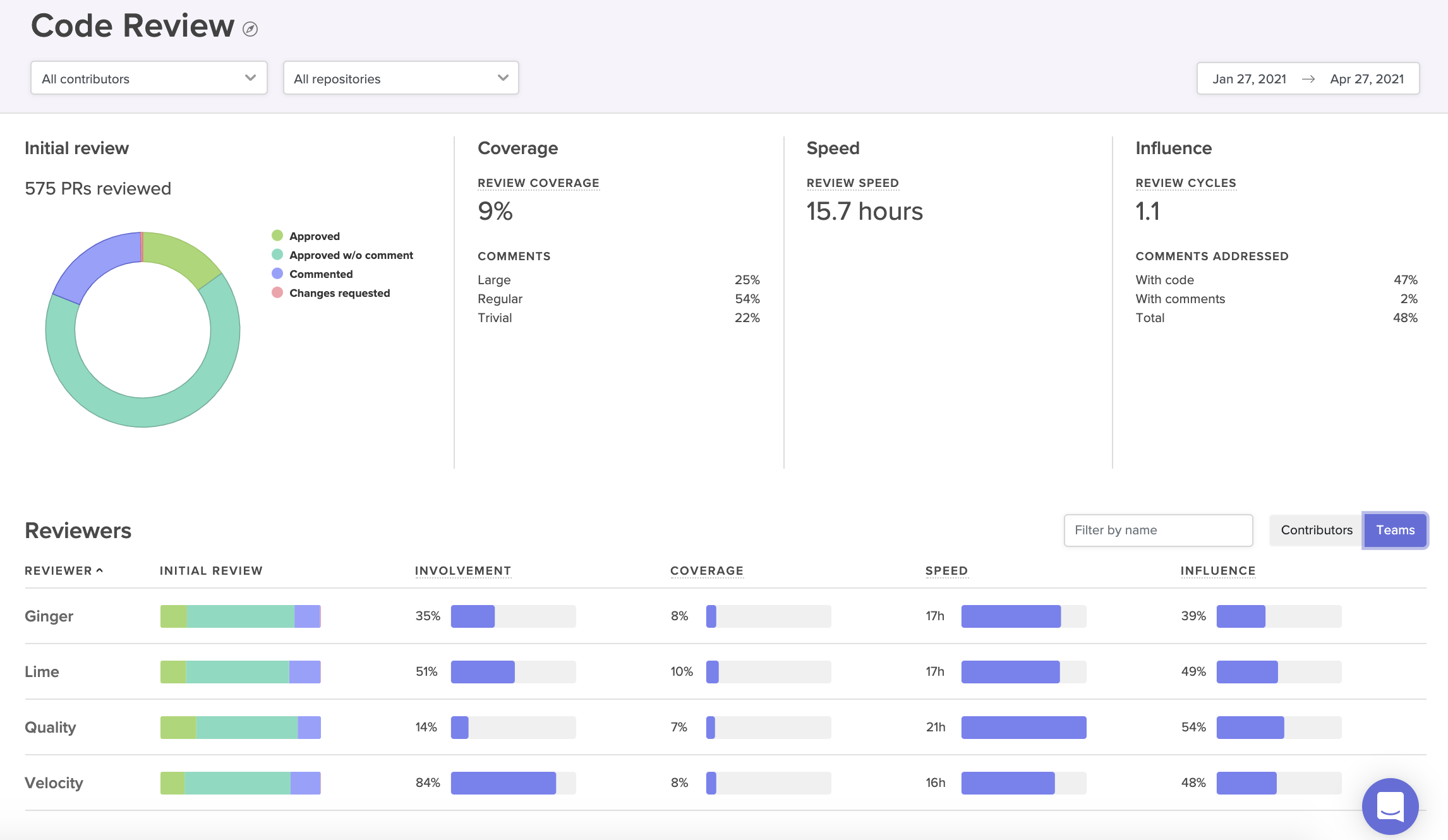
A Code Review Report provides a visual summary of the way PRs move through your review process.
For example, some globally distributed teams prefer to allow low-impact changes to bypass the review process entirely, rather than waiting around to be approved by teammates in different timezones. One Code Climate customer dealt with a Code Review bottleneck by letting pair-programmed PRs skip review — these PRs are already well-vetted, because they’ve been worked over by two developers. This change, among others, helped the customer decrease their Cycle Time by 35% within 10 months of implementing Code Climate's Software Engineering Intelligence (SEI) solution and becoming a data-driven engineering organization.
- Look at change over time. Data makes it possible to compare your current progress to past trends. Not only will you be able to tell if your team is, in fact, moving more slowly, you’ll have the information you need to investigate each phase of development and identify the source of the slowdown. A team in the midst of a transition, like a hiring push or a switch to remote work, might find this kind of comparison to be particularly useful. Looking at key metrics before and after a big change can make it easier to identify which parts of the process are most impacted by the change and therefore most in need of attention.
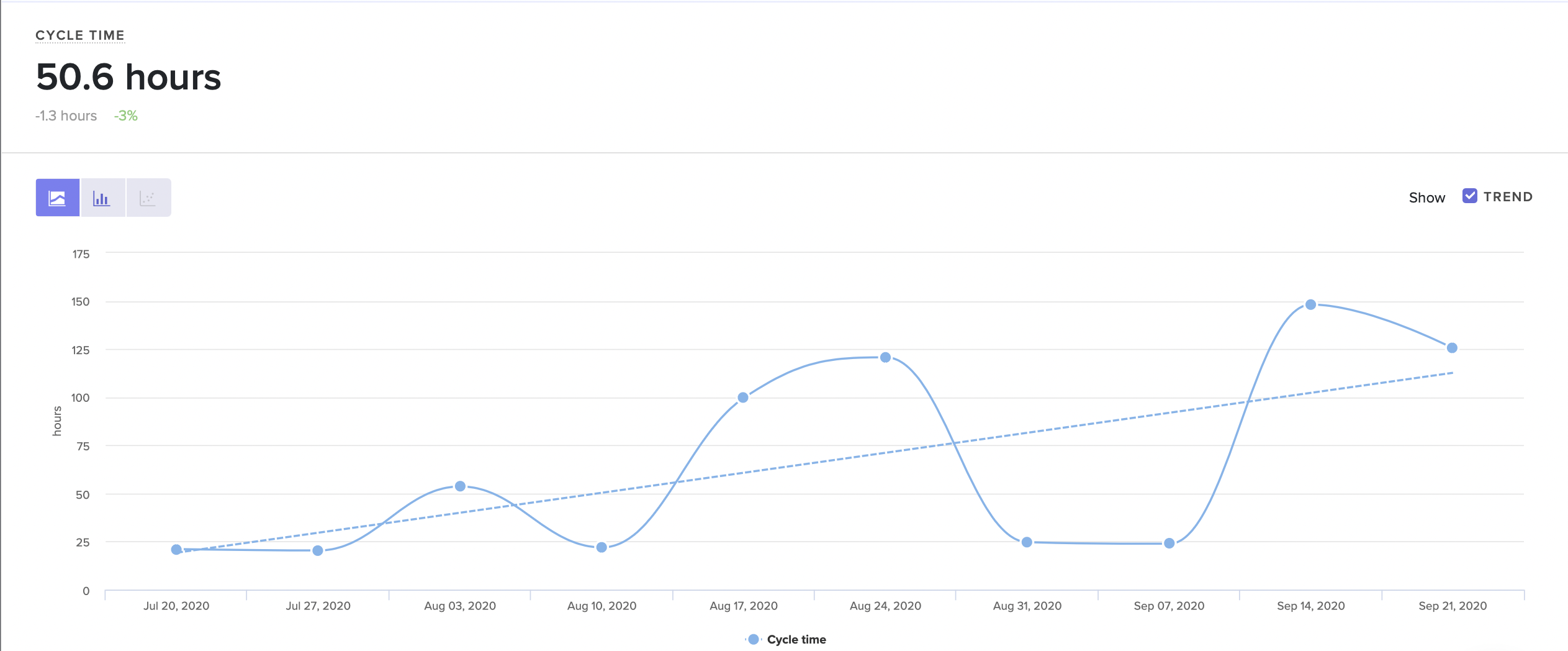
Visualize trends in the way your team is working.
La Haus started using Code Climate's solution to investigate a general feeling that their newly-remote engineering team was moving slowly. As Co-Founder and CTO Santiago García explains, “you can’t make decisions with a feeling.” You can, however, guide decisions with concrete data. García was able to leverage Code Climate to identify exactly which metrics were trending in the wrong direction, design improved processes to address those concerns, and then measure their success. Improving inefficient processes more than doubled the team’s engineering speed, and La Haus’s engineers were able to cut their Cycle Time from 72 to 30 hours.
- Find opportunities for improvement upstream. Data allows you to measure and track the impact of small adjustments, some of which may have a big impact on overall productivity and efficiency. A team that’s struggling to keep code moving through Code Review could focus on refining their review process, but should first take a look at some key metrics earlier on in their pipeline. The true source of the bottleneck might not be the review process at all, but something else entirely.
Identify these impactful, early-process issues by looking at metrics like Time to Open and PR Size. Time to Open can help you spot developers who are taking a long time to open a PR, which could be a sign of anything from unclear technical direction, to a lack of time to work in the codebase. A large PR Size may signal a tendency to open large Pull Requests, which can get stuck in even the most efficient development workflow.
- Identify and scale effective processes. Data can make it easier to spot high-performing teams in your organization and determine the reasons for their success. If you look at key metrics for specific parts of the development pipeline, you’ll be able to see where your best teams are at their strongest. From there, you can borrow their most effective practices and adapt them for other engineering teams, making it possible for your teams to learn from each other and contribute to the success of the entire department.
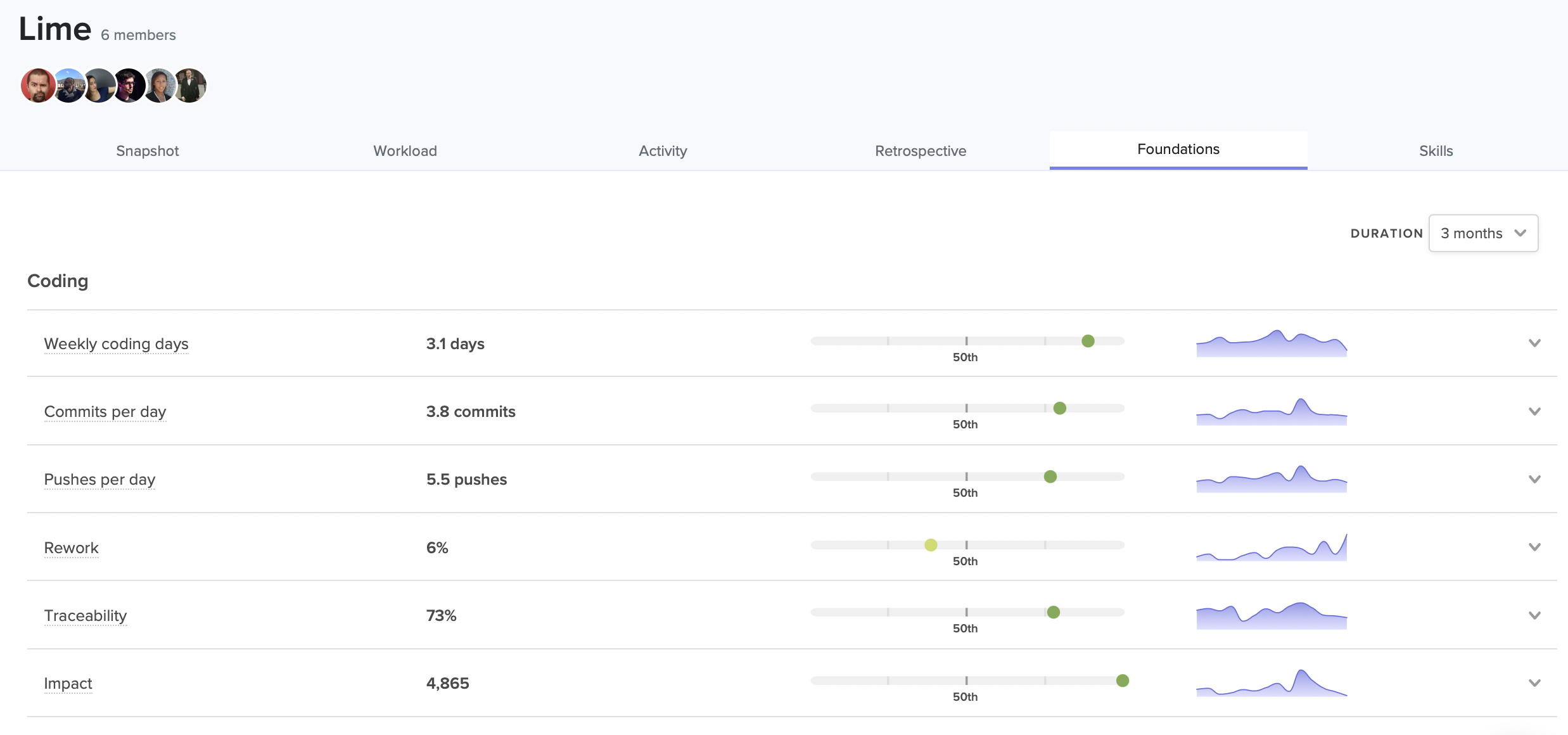
See where each team excels in relation to the rest of your organization.
Roger Deetz used this strategy successfully at Springbuk. When he joined the company as VP of Engineering, he used Code Climate's solution to identify and replicate the practices of the most effective teams, ultimately boosting PR throughput by 64%. “Measurement helped us find focus. We saw what agile practices were working and shared them across teams.”
- Help individual engineers get unstuck. Data enables a granularity and immediacy that isn’t possible through stand ups and sporadic check-ins. With the proper tools, you can quickly surface at-risk work and step in with the appropriate support before it becomes a true bottleneck. For example, with Code Climate's solution you can spot a developer who is churning, or one with a long-running PR, and help them get moving again, perhaps by clearing up a confusion with the codebase, or removing a roadblock caused by a third party.
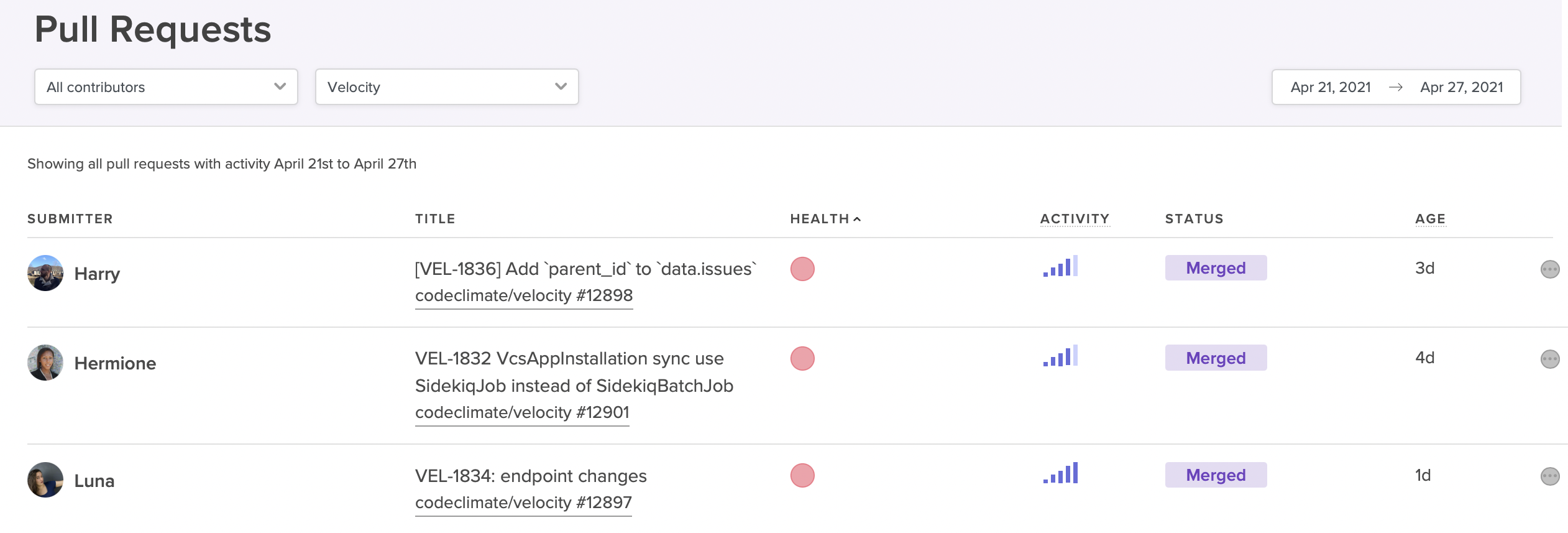
View at-risk PRs that might derail your sprint.
Prioritize Unblocking Engineers With A Dedicated Team
Product features and fixes tend to get prioritized over the critical work of improving developer productivity and experience. In order to ensure that a department is making the necessary investment in removing bottlenecks and improving overall efficiency, many leaders, especially those in large organizations, will give the responsibility to a designated team or individual. The exact title or team name may vary — “developer experience team” is common — but the mandate is usually to help improve developer experience (and, as a result, improve developer productivity) by solving problems that frustrate developers and slow down development. This can be anything from standardizing tooling to implementing code review best practices to improving new developer onboarding, and it includes the very important work of helping teams identify and dismantle common bottlenecks.
Remove Blockers By Empowering Developers
Whether or not they have a team or individual responsible for developer experience, the most successful engineering leaders will still ensure that all team members have some involvement in the process of spotting and removing bottlenecks. At the most basic level, you’ll need to involve your team members to contextualize quantitative information. Data is not diagnostic, and though it can point you in the right direction, it’s impossible to know exactly what is happening without talking to your team members.
Your team members will be even more invested if given the opportunity to propose process improvements and take some ownership of their implementation. This collaborative approach ensures that developers understand why certain changes are being made, that they’re on board with new processes from the start, and that they have a vested interest in sticking with them.
As teams work together to remove blockers and optimize processes, each improvement will motivate further improvements. You’ll set a critical engineering flywheel in motion, setting off the Virtuous Circle of Software Delivery, in which developers reap the benefits of improved processes and are motivated to keep seeking opportunities for continued growth and success.
With fewer blockers standing in their way, developers will be happier, more productive, and more likely to excel — and you’ll be one step closer to building a high-performance team.
To find out how Code Climate can provide the data you need to remove bottlenecks from your engineering pipeline, request a consultation.
Innovation is critical to startup success. To satisfy your customers, stay ahead of your competition, and keep your team engaged, you need to be shipping often — and at high quality.
But how can engineering departments measure and improve their ability to innovate?
With the right data, you can streamline processes and unblock your engineers, clearing the way for developers to work on fresh ideas and deliver new value to your customers.
In this 45-minute webinar, three startup leaders share how they use data to boost innovation on their engineering teams. You’ll hear from:
- Edith Harbaugh, CEO and Co-founder, LaunchDarkly
- Santiago García, Co-founder and CTO, La Haus
- Dalia Havens, VP of Engineering, Netlify
Here are some of the key takeaways:
Innovation requires iteration.
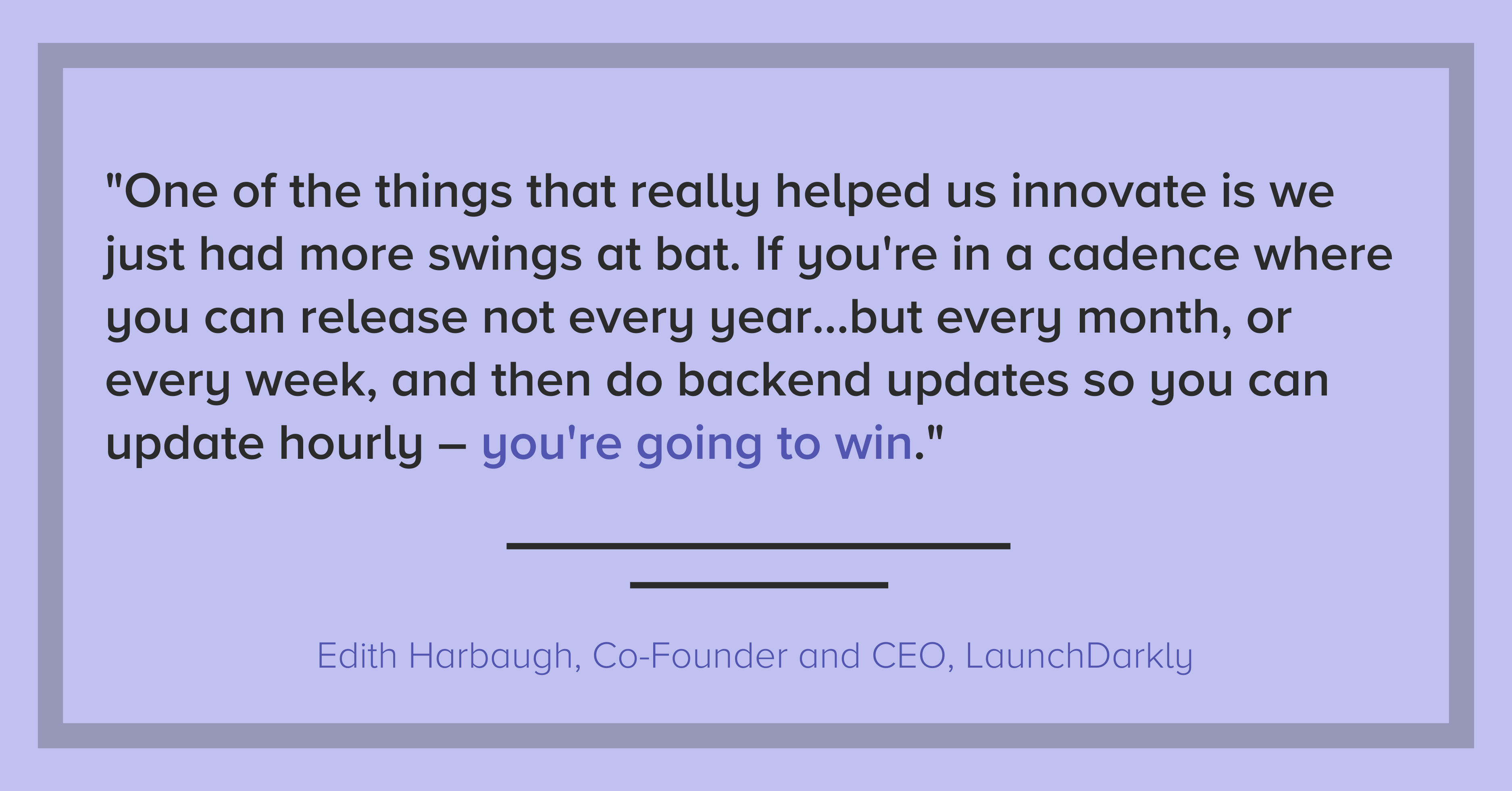
Edith Harbaugh: One of the things that really helped us innovate is we just had more swings at bat. If you’re in a cadence where you can release not every year, which is incredibly stale if you’re in the app store, but every month, or every week, and then do backend updates so you can update hourly – you’re going to win. ‘Cause part of the fact is that not everything you do is going to be perfect. But you just have to keep swinging and swinging and swinging, and one of those things is going to land.
Dalia Havens: One of the things I love about the way at Netlify we define innovation is that we focus on the simplicity of the solution to these complex problems…It’s about those quick iterations. It’s a learning journey. And it’s really hard to figure out which path will take you to the right solution if you’re not iterating.
Santiago García: To bring you some context, [La Haus is] in Latin America. So in this market, we have to invent actually everything. We don’t have [real estate] databases, like you in the US have…From here, we have to create everything from scratch. And that means you need to start to create everything with a good pace, with very fast experimenting because there are things that you don’t know.
Building a metrics-driven culture.
Dalia Havens: [Metrics] are operational measures. They are not punitive, they are very much a tool to help us improve at the end of the day.
Part of my responsibility is to create a quality of life for developers to do their best work. How are we measuring that? How are we removing roadblocks? How are we identifying that there was a roadblock? That’s where the data comes in. And when you bake it into the culture and not make it a taboo to talk about or hide it from this stakeholder or not communicate the incentive behind it, it creates a different shift…creating that metrics-driven culture is actually really important for the success of using metrics in your organization.
Edith Harbaugh: I think you really need to have metrics that people buy into in terms of, “How often do we ship?” because that means that I can feel pride that my code is out there. “How often are we able to roll back?” because that means that I can feel confidence.
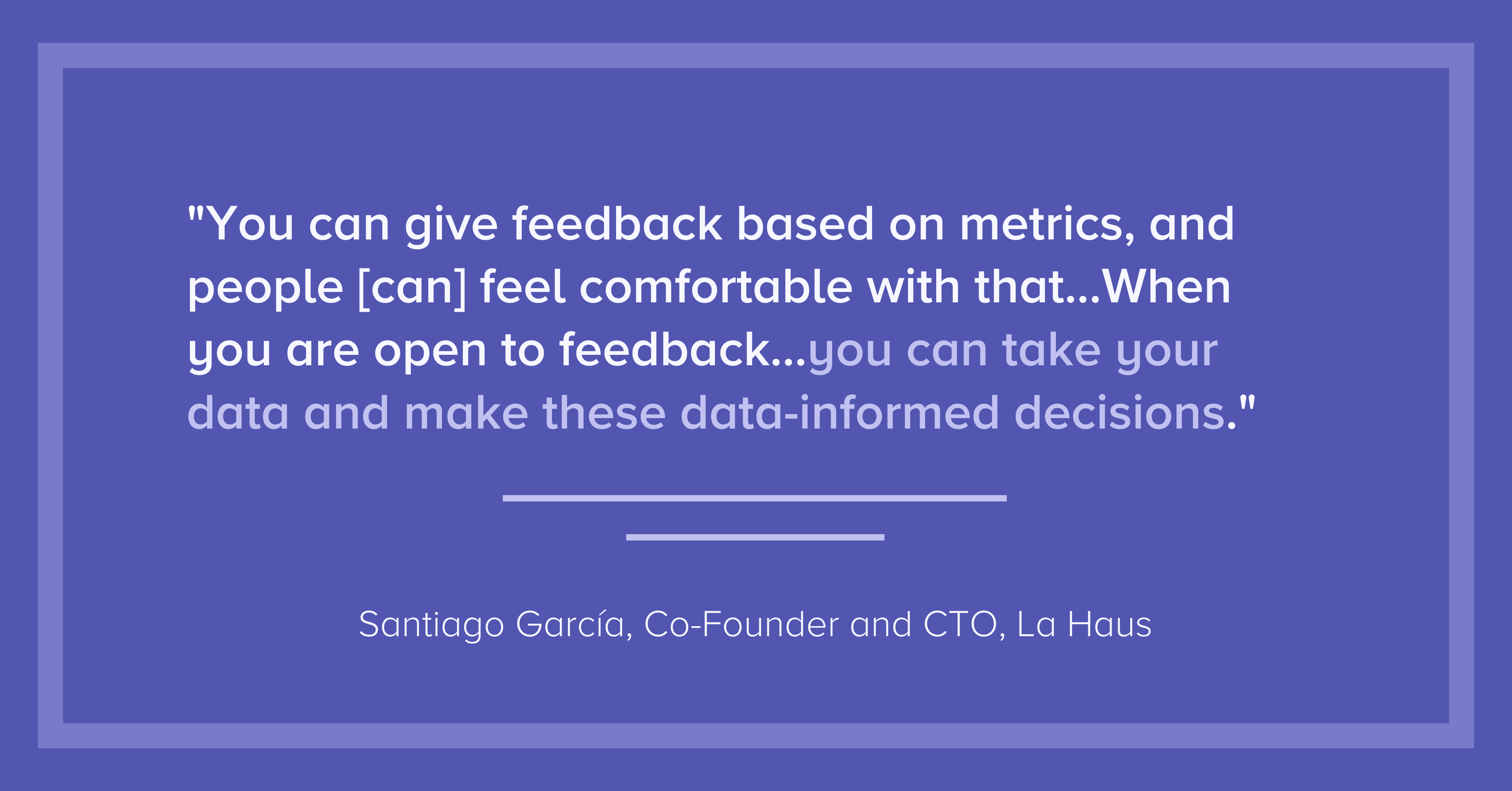
Santiago García: What I think about it is what Peter Drucker said — “What you don’t measure, you can’t improve.” And that’s very important, that is very cultural. You can give feedback based on metrics, and people [can] feel comfortable with that. At La Haus, we have two values at the company…We have one that is, “Strive for more.” People want to improve, so it’s good to show the metrics, so they can see they are doing things [that] could have been better. Also, we have something that is called, “Extreme openness.” When you are open to feedback…you can take your data and make these data-informed decisions. For me, it’s very cultural.
Data provides objective insights.
Santiago García: When we started working remotely, some engineers started to complain — not complain, but they started to say, “Hey, we’re working more hours, we are exhausted, we have been working more.” My feeling was that we were delivering the same amount of work or less. But in that moment, I couldn’t measure [that feeling]. The first decision was to start measuring that, so I started using Code Climate.
Edith Harbaugh: When you get bigger, you just have to get a lot more deliberate about communication and about what you’re measuring and how teams work together. And then also still make sure that you are measuring, “Are we moving forward? Are we having meetings for the sake of having meetings?” So one question that the engineering side has to understand is, “How much new versus old features are you doing?” Like tech debt versus new, which is a really tricky balance. If it swings too far in either direction, you know that you’re going amiss. If 80% of my time is on maintenance, you’re not innovating. If 100% of my time is on innovation, and I’m not doing any code maintenance, stuff is going to start breaking in the field. So just keeping a close eye on metrics like that, in terms of “Does the team have the right pressure and direction?”
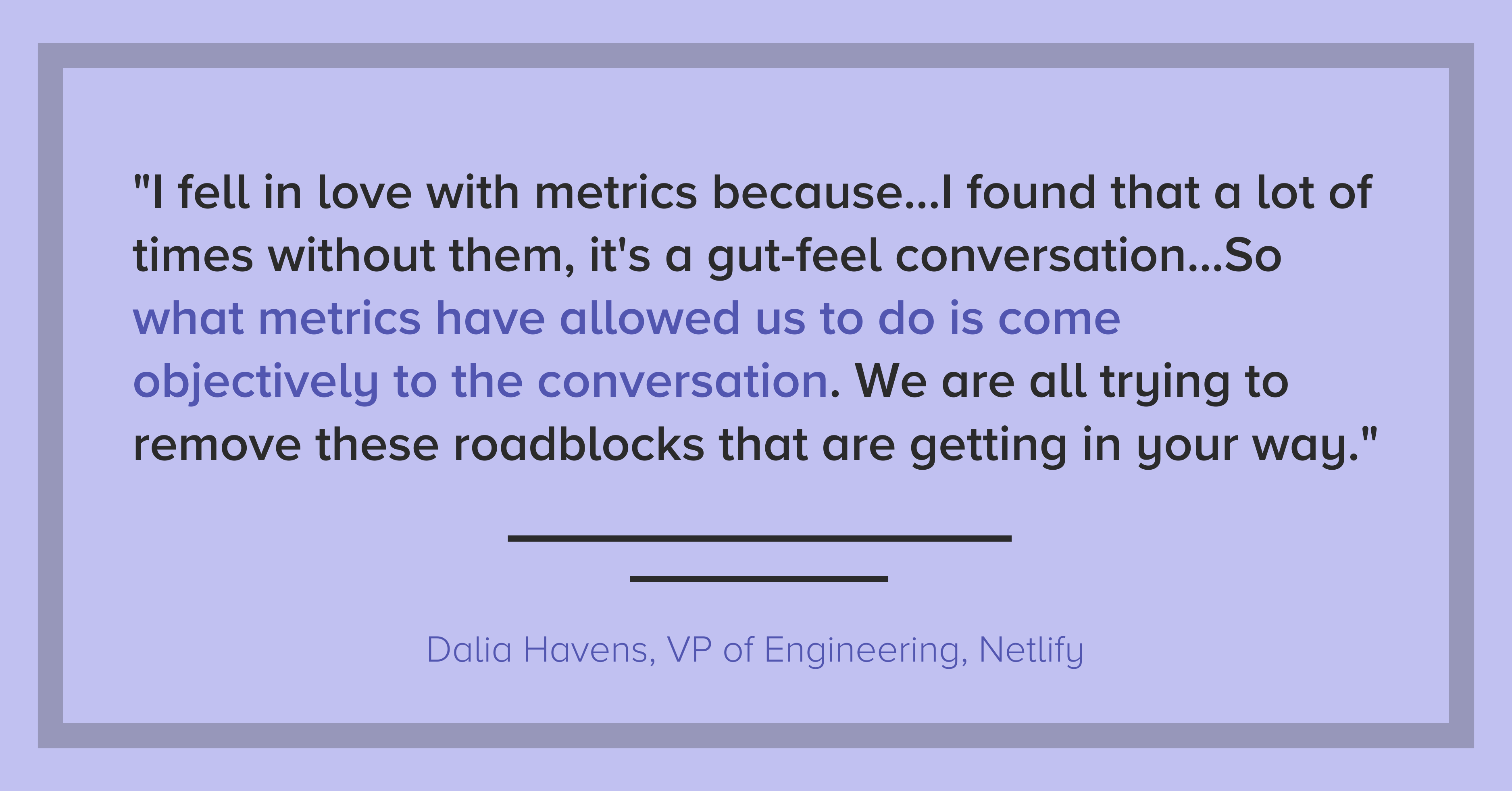
Dalia Havens: I fell in love with metrics because…through this organic journey to engineering management, I found that a lot of times without them, it’s a gut-feel conversation. And those are really hard to have without it seeming personal or you’re saying that someone is not putting in more hours or the right level of effort and so on. So what metrics have allowed us to do is sort of come objectively to the conversation. We are all trying to remove these roadblocks that are getting in your way and so on.
Transparency is critical.
Santiago García: [Transparency is] very important…I went with my team in a one hour meeting, I showed them the tool, how we are going to measure the process. And this was very clear, it was to improve the process. It was not going in a very punitive way or something like that. We wanted to improve our process, and everyone wants to improve. Actually, the next day, all the engineers were asking me for access to the tools so they could see their metrics and how they could improve them.
Dalia Havens: I’ve had an experience with an established team where it…the team was not talking about them being blocked to ship. And it was because we had metrics that we could see our week-to-week trend. And we’re like, “This is weird. For some reason, all of a sudden, we are not able to get things to production. Let’s talk about it.” So I found that it’s a really, really great way to be transparent and honest with everyone on the team. And also disarms sort of that tension. Because at the end of the day, just like all the the monitoring tools we have in infra, it’s to allow us to improve and iterate and create a better environment for development.
Innovation can be game-changing or destructive — make sure you’re moving in the right direction.
Edith Harbaugh: I think innovation in and of itself is a hard word. I think there’s the bright shiny answer that innovation is game-changing stuff that moves the business forward. The flip of that coin is innovation is sometimes harmful and destructive. And you don’t really know sometimes until you flip that coin, what way it’s going to land.
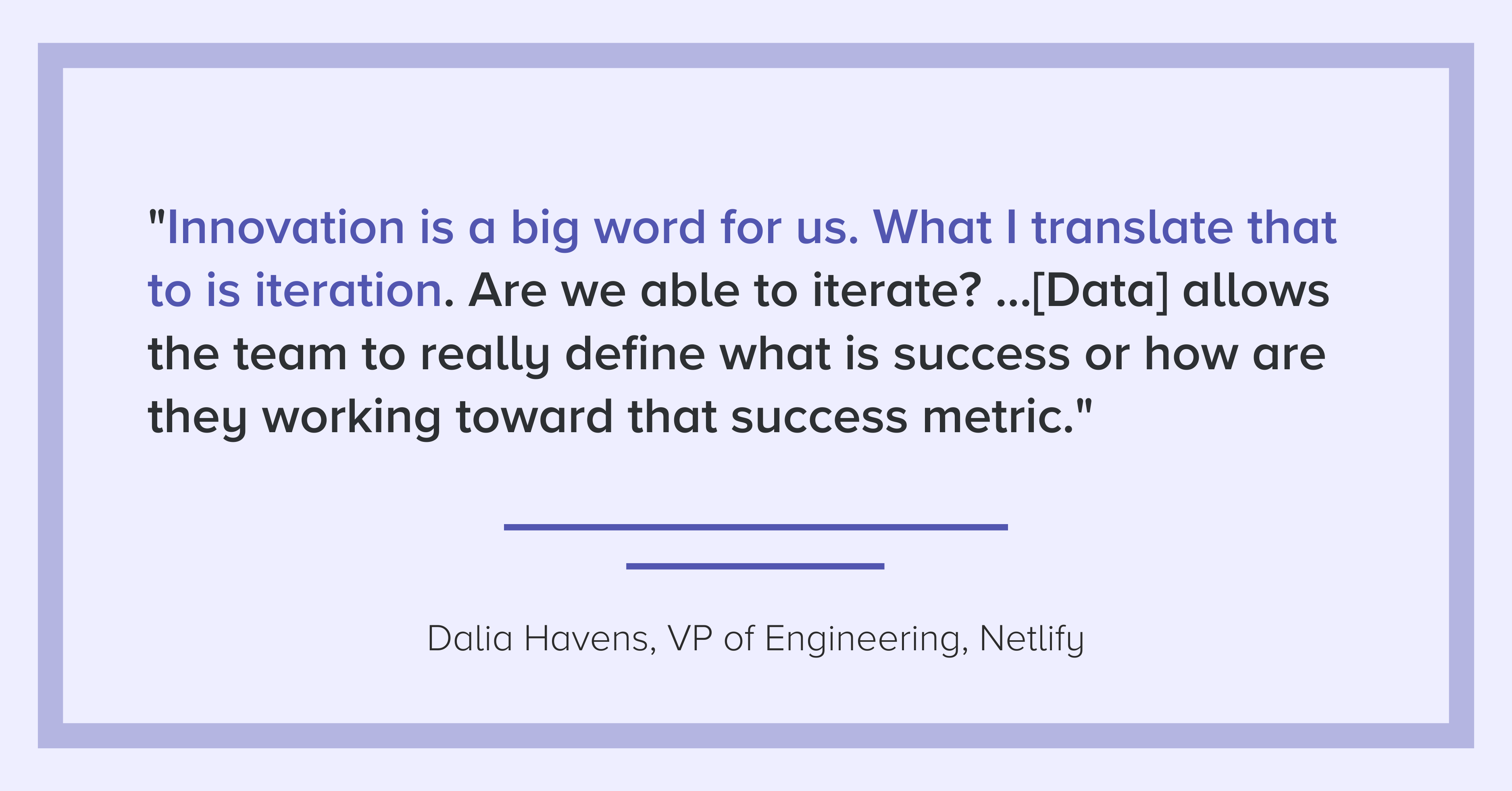
Dalia Havens: A product full of bells and whistles that are not really giving a seamless user experience is not going to be as effective or as useful to the potential end-user as one that is more thought out…Innovation is a big word for us. What I translate that to is iteration. Are we able to iterate? Are we able to learn? Do we have the tools to be able to learn to gradually get things out, or to decide on killing something? …having these tools allows the team to really define what is success or how are they working toward that success metric.
Santiago García: I think is very difficult to innovate in the tech team if you are not aligning with your business, with your customers…For my team, the engineering team, its mission is to deliver value to our customers as fast as we can, with the best quality.
To learn how to start gathering insights from your own data, request a consultation.